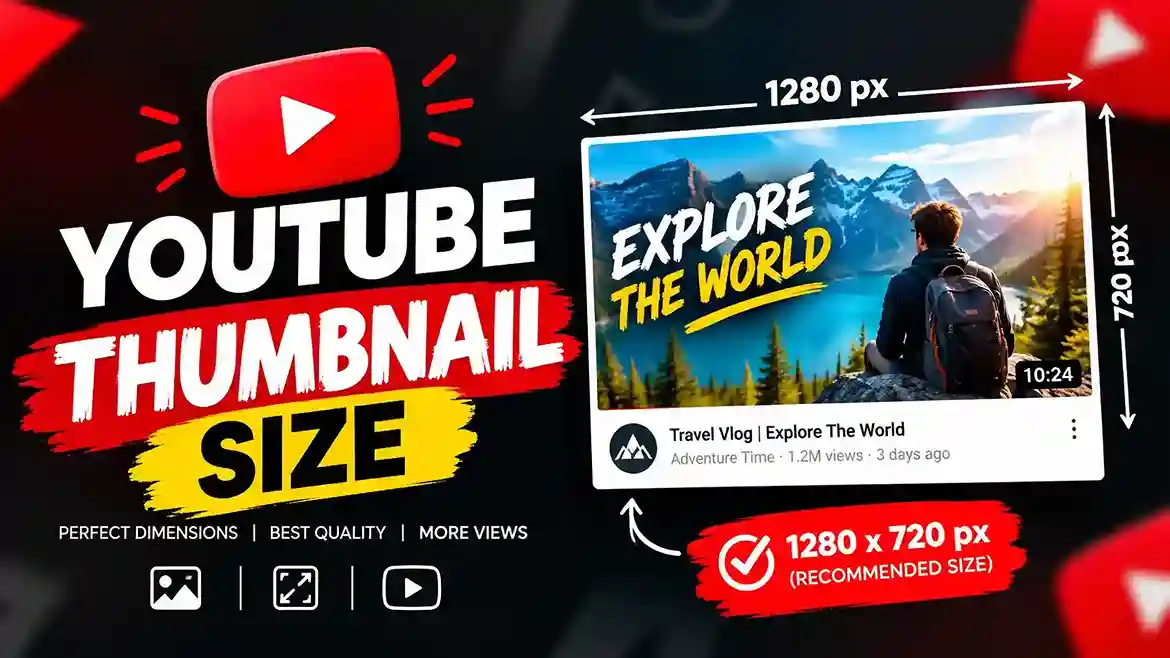
For years, every creator memorized one number: 1280 × 720. Then YouTube quietly rewrote its own help page, and half the internet is still repeating the old advice. Your YouTube thumbnail size may be technically correct if you are creating them using a template that is two years old, but it may no longer be what the platform suggests.
This guide gives you the current official numbers, the newest platform changes, a head-to-head comparison of the two sizes creators argue about most, and the layout rules that keep your text visible when YouTube lays its own interface over your artwork. Everything here was checked against YouTube‘s current help documentation and recent platform announcements as of October 2026.
YouTube Thumbnail Size in 2026: The Official Numbers
Here is the short version. YouTube’s help page for custom thumbnails now recommends a resolution of 3840 × 2160 pixels with a minimum width of 640 pixels. The shape is 16:9 for standard videos. Although 1280 × 720 is still the official size listed in older manuals and is still totally workable, it is no longer the primary suggestion.
Quick Spec Table
| Spec | Standard Video | Shorts | Podcast |
| Recommended resolution | 3840 × 2160 px | 2160 × 3840 px | Square |
| Aspect ratio | 16:9 | 9:16 | 1:1 |
| Minimum size | 640 px wide | 640 px tall | n/a |
| Formats | JPG, PNG | JPG, PNG | JPG, PNG |
| Max file, mobile upload | 2 MB | Desktop only | 10 MB |
| Max file, desktop upload | 50 MB | 50 MB | 50 MB |
One detail trips people up: the file limit depends on the device you upload from, not just the thumbnail itself. The same image that is rejected from the mobile app can upload without trouble from a desktop browser.
Why the 16:9 Ratio Still Matters
Your YouTube thumbnail size is only half the story. The ratio decides what the viewer actually sees. A 16:9 image matches the player, the home feed, search results and the suggested sidebar. Upload a square or vertical image to a standard video and the platform has to pad or crop it, which usually means your face or headline gets trimmed.
The fix is boring but effective: set your canvas to 16:9 before adding a single element. If your design app defaults to a square artboard, change it first and design second.
Latest Updates to YouTube Thumbnail Size and Tools (2026)
Thumbnails have changed more in 2026 than in the previous several years combined. These are the updates that matter, in plain terms.
The Recommended Resolution Moved to 3840 × 2160
The headline change is the jump from 1280 × 720 to 3840 × 2160 as the recommended resolution. The practical reason is screen real estate. Living-room TVs, large monitors and high-density phone displays all benefit from more pixels, and the thumbnail also doubles as the preview image in embedded players.
Two things to keep in mind. First, 1280 × 720 is still 16:9 and still above the 640-pixel minimum, so your older files are not broken. Second, a bigger canvas only helps when the source art is genuinely large. Stretching a small photo to 4K gives you a heavier file and zero extra sharpness.
File Limits Now Split by Device
YouTube now lists different ceilings depending on where you upload. From the mobile app, video thumbnails top out at 2 MB and podcast thumbnails at 10 MB. From a desktop browser, both go up to 50 MB. For creators who export 4K art, that desktop allowance is what makes the new recommendation workable.
Custom Thumbnails for Shorts Arrived in July 2026
This is the biggest creative change of the year. YouTube began rolling out fully custom Shorts thumbnails on July 25, 2026, reversing a position it held for two years. The details matter:
- Eligible YouTube Partner Program creators get access first, with a wider rollout expected.
- Uploads happen on desktop in YouTube Studio, either during upload or afterward by editing a published Short.
- There is no A/B testing for Shorts thumbnails.
- Reporting suggests the thumbnail can render closer to a 3:2 crop than the full vertical frame, so keep the key subject centered.
Mobile creators can still pick a frame from their video, and desktop users also see suggested frames to choose from.
Ask Studio Can Now Generate Thumbnails
YouTube added thumbnail generation to Ask Studio, its assistant inside Studio on desktop. It reads your video’s transcript and themes, then drafts thumbnail options you can adjust through chat, such as colors and layout. Treat it as a fast first draft. You still need to check safe zones, text size and whether the image honestly matches the video.
Test & Compare Is Part of the Workflow
Test & Compare lets eligible channels upload up to three thumbnails for one video and measures which earns the larger share of watch time. YouTube also notes that if any test thumbnail is below 720p, all variants are downscaled to 480p, which is another strong reason not to go small. The feature is not available for Shorts.
YouTube Thumbnail Size Head-to-Head: 1280 × 720 vs 3840 × 2160
This is the comparison most creators actually need. Both are 16:9. Both are legal. The difference shows up in sharpness, file weight and workflow.
| Factor | 1280 × 720 | 3840 × 2160 |
| Official status in 2026 | Valid, no longer the headline recommendation | Currently recommended by YouTube |
| Pixel count | About 0.9 million | About 8.3 million (nine times more) |
| Sharpness on TVs and large screens | Acceptable, can soften | Best available |
| Typical file size | Often 200–400 KB as a JPG | Often 1–5 MB, more with PNG |
| Mobile app upload (2 MB limit) | Easy | Needs compression or desktop upload |
| Desktop upload (50 MB limit) | Easy | Easy |
| Test & Compare downscale risk | None (meets 720p) | None |
| Editing speed | Fast, light projects | Slower, heavier project files |
| Best for | Fast daily publishing, mobile workflows | Premium channels, TV viewership, evergreen videos |
Where 1280 × 720 Still Wins
If you publish often and edit on a laptop or phone, 1280 × 720 keeps files tiny and exports instant. It also clears the 2 MB mobile limit without any compression tricks. For a channel whose audience watches almost entirely on phones, the visual gap between the two sizes at feed scale is small.
Where 3840 × 2160 Wins
Large screens expose weak thumbnails. On a TV, a 720p image can look soft, especially around text edges and gradients. If your videos are evergreen, tutorial-style or watched on living-room devices, the 4K canvas gives you a future-proof master file that you can scale down for any use.
The Verdict
Design at 3840 × 2160 when you have the source quality and a desktop for uploading. Fall back to 1280 × 720 when speed or mobile uploading matters more. The best approach for most creators is a hybrid: build one large master, export a compressed version for mobile if needed, and always judge the result at small size before publishing.
Standard Video vs Shorts: YouTube Thumbnail Size Compared
Treating these as the same format is the fastest way to waste a good design.
| Factor | Standard Video | Shorts |
| Recommended YouTube thumbnail size | 3840 × 2160 | 2160 × 3840 |
| Orientation | Landscape 16:9 | Vertical 9:16 |
| Where you upload | Mobile or desktop | Desktop only for custom images |
| A/B testing | Yes, up to 3 variants | Not available |
| Who can use it | Verified accounts | Partner Program creators first |
| Where it appears most | Home, search, suggested, embeds | Channel pages, search, browse surfaces |
Most Shorts are still watched in the swipe feed, where no thumbnail appears at all. That is why your opening frame still matters more than any uploaded cover. A custom Shorts thumbnail earns its keep on browse surfaces and channel pages, so apply it first to your back catalog of Shorts that still get search traffic.
YouTube Thumbnail Size Safe Zones: Where Your Design Gets Covered
Correct dimensions do not protect you from YouTube’s own interface. Overlays sit on top of your image, and they move depending on the surface.
The Duration Badge and Progress Bar
The timestamp badge sits in the bottom-right corner on most surfaces. The watched-progress bar can appear along the bottom edge for returning viewers. Anything important placed in those areas risks being hidden.
A Practical Safe Zone Map
| Surface | Avoid | Keep Important Elements |
| Desktop home and search | Bottom-right corner | Left two-thirds, upper area |
| Mobile feed | Bottom edge and right corner | Center-left, upper two-thirds |
| Embedded player | Dead center (play button) | Offset to the left or top |
| Shorts browse crop | Far left and right edges | Center of the vertical frame |
These are working guidelines rather than official pixel measurements, so treat them as conservative defaults. The reliable method is a quick test: shrink your design to roughly the width it takes in a phone feed, add a mock timestamp badge in the corner, and check that the subject and message still read instantly.
The Phone Test That Catches Most Mistakes
Before uploading, send the file to your phone and look at it at arm’s length. If you cannot tell what the video is about in about a second, the design is too busy. Remove an element rather than shrinking everything to make room.
File Format and Compression for the Right YouTube Thumbnail Size
YouTube’s help page names JPG and PNG as the formats to use. Older guides often mention GIF or BMP, but you gain nothing from them, so skip both.
JPG vs PNG
JPG is the best default for photographic thumbnails with faces and natural backgrounds. It compresses well and keeps file sizes small. PNG preserves sharp edges on text, logos and flat color blocks, but produces heavier files. At 4K, a PNG can approach the mobile limit quickly.
Staying Under the Limit
If your file exceeds 2 MB and you must upload from mobile, export as JPG at a quality between 80 and 90 percent, or run it through a compressor. If you can, upload from a desktop browser instead, where the ceiling is 50 MB and compression is rarely needed.
Use the sRGB color space. CMYK is meant for print and tends to shift colors on screens, flattening the contrast you rely on to stand out.
Design Rules That Make Your YouTube Thumbnail Size Work Harder
A correct canvas gets your thumbnail displayed. Design decisions decide whether it gets clicked. These rules hold up across niches.
One Focal Point, Not Five
Every strong thumbnail has a single obvious subject: a face, an object, a before-and-after. When two or three elements compete, the eye bounces between them and moves on. Pick one hero and make it large.
Faces Work Best When They Feel Real
A clear, well-lit face creates instant human connection. You do not need a screaming expression. A calm or curious look often feels more trustworthy than an exaggerated one, and it matches the tone of the video more honestly.
Keep Text Short and Large
Think of thumbnail text as a hook, not a summary. Three to five words is a sensible ceiling. Do not repeat the title word for word, because the title and image should deliver different information. Choose heavy, condensed sans-serif fonts such as Anton, Bebas Neue, Montserrat Black or Archivo Black, and add a stroke or shadow so letters separate from the background.
As a rule of thumb, text on a 1280 × 720 canvas should be at least 60 to 80 pixels tall. If you work at 3840 × 2160, scale that up threefold so it appears the same size once the image shrinks.
Contrast Beats Decoration
Pair bright subjects with simple backgrounds. Yellow on black, white on deep blue, and saturated red against muted tones all stand out against YouTube’s light interface. Use two or three brand colors repeatedly so viewers recognize your videos before reading the title.
Be Honest With the Image
A misleading thumbnail may lift clicks briefly, but weak retention tells the system to stop recommending the video. YouTube’s policies also address misleading thumbnails, and repeated violations can limit your ability to use custom images. The thumbnail need to accurately convey the content of the video.
Testing Your Thumbnail Instead of Guessing
Use Test & Compare for each significant upload if you have access to it. Because YouTube measures watch time share rather than raw clicks, the winning thumbnail is the one that attracts the right viewers, not just the most curious ones.
What to Test First
- Face or no face. Compare a human subject against an object or graphic.
- Text length. Try a three-word hook against a five-word hook.
- Background contrast. Test a bright background against a dark one.
- Expression or framing. Compare a close crop with a wider shot.
Change one variable at a time, and give the test enough time to gather meaningful data. Results can take anywhere from a few hours to a couple of weeks depending on traffic. If the feature is not available to your channel, swap thumbnails manually, record the date, and compare click-through rate and views from impressions in YouTube Studio once enough impressions have accumulated.
For benchmarks, compare against your own channel history first. Averages shift widely by niche, audience size and traffic source, so your last twenty videos are a more honest baseline than any global number.
Common YouTube Thumbnail Size Mistakes to Avoid
- Designing on the wrong canvas. Starting square and cropping later wastes the layout you carefully built.
- Upscaling a tiny image to 4K. You get a bigger file, not a sharper one.
- Placing text in the bottom-right corner. The duration badge will cover it.
- Exporting too large for mobile uploads. Even if the desktop accepts a file larger than 2 MB, the application may reject it.
- Approving the design only at full size. It is not ready if it cannot be read at a small size.
- Overloading the frame. More than one idea per thumbnail usually means no idea gets noticed.
- Treating Shorts like standard videos. A landscape image on a vertical format is cropped without regard for your layout.
- Skipping the follow-up. Check performance after a week, and refresh the thumbnail if the video earns impressions but few clicks.
Final Verdict: Choose the YouTube Thumbnail Size That Matches Your Workflow
The current official YouTube thumbnail size is 3840 × 2160 pixels at 16:9, with a 640-pixel minimum width, and 2160 × 3840 for Shorts. The older 1280 × 720 standard is still valid and still the quicker option for high-volume, mobile-first publishing.
Here is a simple checklist to finish with:
- Build on a 16:9 canvas from the start, ideally at 3840 × 2160.
- Export JPG or PNG in sRGB, under 2 MB for mobile or 50 MB for desktop.
- Keep faces and text in the left two-thirds, away from the bottom-right corner.
- Limit text to three to five bold words.
- Review the design at phone-feed size before uploading.
- Test two or three variants where Test & Compare is available.
- For Shorts, upload a vertical image from desktop if your channel qualifies, and keep the subject centered.
The creators who win the click are rarely the ones with the fanciest software. They respect the canvas, work around YouTube’s overlays, and treat every thumbnail as the first impression it truly is.
