Picture the last video you watched on your phone. Was the sound on? Odds are it was not. Whether you were on a bus, in a meeting, or beside a sleeping partner, you probably read the screen instead of listening to it.
That small habit has changed the internet. Text on screen is no longer a side feature for a small audience. It is how a huge share of viewers now consume video, and it is also how platforms and search engines figure out what your content is about.
So what is a caption, exactly, and why do so many creators get it wrong? In this guide you will get a clear definition, a head-to-head comparison with subtitles and alt text, the three caption formats, the newest legal and platform changes of 2026, and a set of rules for writing captions that people actually read.
What Is a Caption? The Plain-English Definition
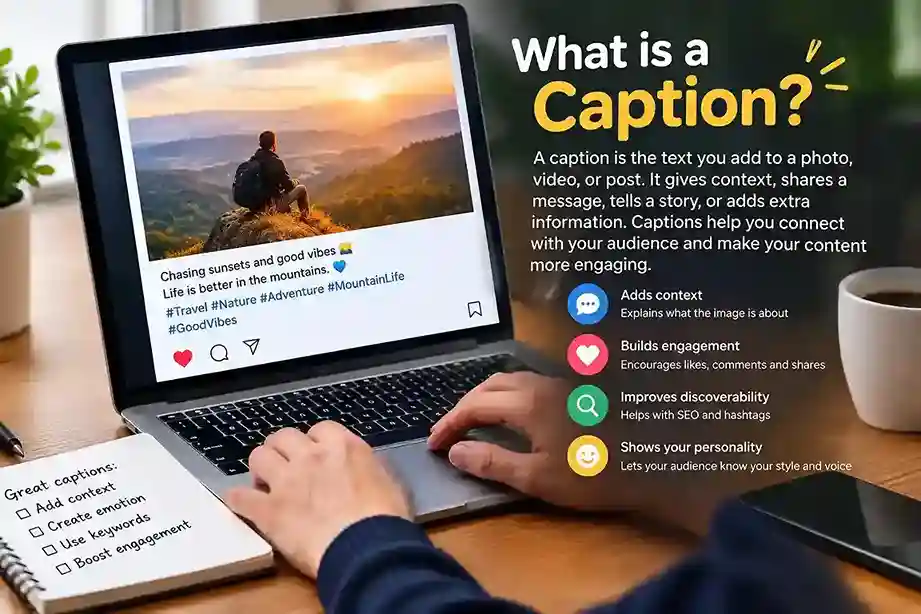
A caption is written text shown with a video, an audio track, or an image. For video and audio, it appears in sync with the content and turns speech and important sounds into words. For a photo, it sits beside the picture and explains, adds to, or reframes what you see.
Both uses share one job: give the audience meaning that the visual or audio alone cannot carry.
Where the Word Comes From
The English word traces back to a Latin root linked to the idea of taking hold of something. That origin fits well. A strong caption takes hold of a viewer’s attention and keeps it. A weak one lets the viewer drift to the next post.
Dictionaries describe the term in two senses: the explanatory line under an illustration, and the on-screen text that accompanies a film or television programme. Modern usage blends both, which is why the word shows up in accessibility law and in social media advice at the same time.
What Is a Caption Meant to Do? Two Jobs at Once
Every good caption performs two tasks together.
The access job. For Deaf and hard-of-hearing people, captions carry the full audio experience: who is speaking, what they say, and non-speech sounds such as music, laughter, a door slamming, or a phone buzzing.
The reach job. For everyone else, captions keep sound-off viewers engaged, help people following a second language, support focus in noisy places, and hand platforms and search engines readable text to index.
Skip the first job and you shut out part of your audience. Skip the second and you throw away views you already earned. Treat both as required.
What Is a Caption vs a Subtitle vs Alt Text? Head-to-Head Comparison
People use these three terms as if they were the same thing. They are not, and confusing them hurts both accessibility and search visibility.
Caption vs Subtitle: The Core Difference
Captions assume the viewer cannot hear the audio. Subtitles assume the viewer can hear but does not understand the language. That single assumption changes everything about what appears on screen.
A caption describes dialogue and meaningful sounds in the same language. A subtitle translates dialogue into another language and usually skips background sounds, because the viewer can already hear them. A third format, often called SDH (subtitles for the deaf and hard of hearing), blends the two by translating speech and describing sounds.
Alt Text and Transcripts: The Other Two Players
Alt text is a short description hidden in an image’s code. Screen readers read it aloud and search engines use it, but sighted visitors never see it on the page. A transcript is a full written record of an audio or video file, usually offered as a separate document rather than synchronized with playback.
The Head-to-Head Table
| Feature | Caption | Subtitle | Alt Text | Transcript |
| Main purpose | Access to audio in the same language | Translation into another language | Describe an image to non-visual users | Full written record |
| Assumes viewer can hear? | No | Yes | Not applicable | Not applicable |
| Includes sound cues? | Yes | Rarely | No | Sometimes |
| Visible on screen? | Yes | Yes | No (read by software) | Separate page or file |
| Synced to playback? | Yes | Yes | No | No |
| Meets most accessibility laws for video? | Yes | Usually not on its own | Covers images only | Not a substitute for captions |
| Best for | Accessibility and sound-off viewing | Global audiences | Image SEO and screen readers | Long-form reference and SEO |
The verdict: If your goal is accessibility or compliance, you need captions. If your goal is selling in another country, add subtitles. If you publish images, write alt text. Do not copy your caption into your alt text. The caption adds personality and context; the alt text states what the picture shows.
What Is a Caption Format? The Three Types Compared
The format you pick decides how much control the viewer has and where the content can be published.
Closed Captions
Closed captions live in a separate file that the viewer can switch on or off. They are the standard on streaming services, learning platforms, and most video players. They also give viewers control over size and style, and they are the format accessibility standards usually point to.
Open Captions
Open captions are burned into the video image itself. Nobody can turn them off. Creators on short-form platforms favor them because they display everywhere, keep the same font and placement on every device, and can be styled to match a brand.
Live Captions
Live captions turn speech into text in real time during webinars, streams, and broadcasts. Speed and accuracy matter most here, because viewers read along as the event unfolds.
Closed vs Open Captions: Head-to-Head
| Factor | Closed Captions | Open Captions |
| Viewer can toggle | Yes | No |
| Style control for creator | Limited | Full |
| Works on every platform | Not always | Yes |
| Editing after publishing | Easy (swap the file) | Hard (re-render video) |
| Best for | Courses, corporate video, streaming | Reels, TikToks, Shorts, ads |
| Accessibility strength | High, user-adjustable | Good, but fixed |
The conclusion: For quick social videos where the majority of viewers never explore a menu, use open captions. Use closed captions for training, product, and long-form video where viewers need options and compliance matters. Use live captions whenever audio is delivered in real time.
Why Captions Are a Growth Asset, Not a Compliance Chore
The accessibility case is settled. What surprises many creators is how much captions help people with perfectly normal hearing.
The Silent Majority
Industry surveys regularly report that most viewers on social platforms watch with the sound off at least some of the time, and a large share of caption users have no hearing loss at all. They use captions to multitask, to cope with noise, to follow strong accents, or simply because reading helps them concentrate. This is mainstream behavior, not a niche need.
The Performance Evidence
Studies and platform tests cited across the industry point in the same direction:
- Captioned videos tend to hold viewers longer and lift completion rates.
- One widely quoted YouTube study found captioned videos earned roughly 40% more views than uncaptioned ones.
- A Facebook video ad test saw reach rise by around 16% once captions were added.
Treat these numbers as directional rather than guaranteed, since results vary by audience and niche. The pattern, though, is consistent: captioned content gets watched more.
The Search Advantage
While they can read text, search engines are unable to watch videos. Captions and transcripts give crawlers a full script to index, which helps a video appear for long-tail searches that the title and description never mention. Social platforms now do the same thing inside their own search tools, which is why caption writing has become a ranking skill.
What Is a Caption’s Legal Status? Latest Updates for 2026
The rules around captions moved quickly over the past year. Here is what is current as of October 2026.
United States: ADA Title II Deadlines Pushed Back One Year
The Department of Justice finalized a rule in 2024 requiring state and local governments to make web content and mobile apps meet WCAG 2.1 Level AA, which includes captions for prerecorded video. The first compliance date was set for April 24, 2026.
On April 20, 2026, just days before that deadline, the DOJ published an interim final rule that moved the dates back by one year. Entities serving populations of 50,000 or more now have until April 26, 2027, and smaller entities have until April 26, 2028. The technical standard itself did not change, and the underlying duty to communicate effectively with people with disabilities remains in force. Disability groups have criticized the delay, and the public comment window ran through June 22, 2026.
Two details matter if you create content. The delay applies to Title II, which covers government bodies, and it does not rewrite obligations for private businesses under Title III. Also, an HHS rule with parallel web accessibility requirements kept its May 2026 start date. In practical terms, treat the new date as the latest possible finish line, not a reason to wait.
European Union: The Accessibility Act Is Already Live
On June 28, 2025, the European Accessibility Act went into effect. For video, that means accurate captions on new content, and reports from industry bodies suggest live captions should reach very high accuracy with minimal delay. Existing content libraries are generally expected to be brought in line by 2030.
Enforcement is uneven across member states. Some countries run active enforcement with fines that, in the highest cases, reach seven figures in euros, while others are still publishing guidance. If you serve European customers, captions in the viewer’s language are the safe baseline, because a caption in one language does not satisfy an audience in another.
Instagram: Captions Now Work as Search Data
Instagram has publicly described captions as context that tells search systems what your content is about. In-app search now reads captions, alt text, and text inside images, and public posts from professional accounts have been indexable by Google since July 2025. Reports from 2026 also point to tighter limits on hashtag usefulness, with many sources recommending roughly three to five relevant tags at most.
The takeaway is simple: a descriptive, natural-language caption now does the discovery work that a block of hashtags used to do.
YouTube: Smarter Automatic Captions
YouTube’s automatic captioning has expanded to dozens of languages, with automatic translation available into many more. Machine captions are a useful first draft. They are not a finished product, and accessibility guidance still calls for human review of names, jargon, and sound cues before you publish.
What Is a Caption Length Sweet Spot? The “Caption Valley” Explained
Most advice says to keep captions short so everything fits above the “more” cutoff. A 2026 analysis of 6,126 Instagram posts by PostPlanify suggests that rule is more fragile than it sounds.
| Caption Length | Median Engagement Rate | Median Reach |
| 1 to 50 characters | 2.96% | 932 |
| 51 to 125 characters | 1.38% | 228 |
| 126 to 300 characters | 3.6% | 190 |
| 301 to 800 characters | 4.57% | 434 |
| 800+ characters | 3.49% | 101 |
The pattern looks like a valley. Very short captions earn the widest reach, mid-length captions earn the best engagement, and the 51 to 125 character zone lands at the bottom. It is long enough to say little and too short to give anyone a reason to respond.
Reels follow a similar story. In the same dataset, Reels with captions of 500 characters or more reached a 4.32% median engagement rate, against 1.69% for captions of 125 characters or fewer.
What to do with this: pick a lane. Either write a sharp one-liner that works like a punchline, or write enough to tell a story, share an opinion, or ask a real question. Treat the data as one study, not a law of nature, and test it against your own analytics.
How to Write a Caption That Reads
Understanding what a caption is only useful if you can create one that is effective. These seven rules apply across platforms.
Rule 1: Win the First Line
Only the opening line is guaranteed to be visible before the cutoff, so it carries the weight of a headline. Lead with a bold claim, a curiosity gap, or a problem your viewer recognizes. “Happy Monday, everyone” gives nobody a reason to tap. “I changed one sentence and my replies doubled” does.
Rule 2: Commit to Punchline or Substance
Avoid the middle. A caption under about 50 characters should land like a joke or a hook. A caption past about 126 characters should earn its length with a story, an argument, or a question.
Rule 3: Write for the Platform, Not for Yourself
Posting the same caption on every network is the fastest way to waste reach. Each platform shows a different amount of text before truncation and rewards a different tone.
Rule 4: Use Keywords Like a Human
Work two or three natural phrases that your audience would really search into the caption, ideally early. Describe what the post is about in plain language. If a sentence reads as if it was written for a robot, rewrite it, because both readers and platform quality systems notice.
Rule 5: Ask for One Thing
End longer captions with a single, clear action: save this, reply with your answer, send it to someone who needs it. Three competing requests dilute all three.
Rule 6: Match the Culture
TikTok captions feel quick, casual, and a little rough. Instagram captions can carry more structure and aspiration. YouTube Shorts treats the title as the caption, so clarity and searchability come first.
Rule 7: Read It Aloud
If it sounds like a press release when spoken, it will feel like homework to read. If it sounds like something you would tell a friend, it will probably work. This one habit catches more stiff phrasing than most editing tools.
What Is a Caption on Each Platform? Head-to-Head Comparison
| Platform | Caption Limit | Roughly Visible Before “More” | Typical Sweet Spot | What It Rewards |
| 2,200 characters | ~125 characters | 150 to 300 (longer for story posts) | Polish, keywords, save-worthy value | |
| TikTok | 4,000 characters | ~80 characters | 100 to 300 | Conversational hooks, comments |
| YouTube Shorts | 100 characters (title) | ~40 characters | 50 to 70 | Clear, searchable phrasing |
Character limits and truncation points change as platforms update their apps, so check each network before building a template around these numbers.
The verdict: Instagram favors depth and discoverability, TikTok favors voice and speed, and YouTube Shorts favors clarity. Rewrite for each, even if the core idea stays the same.
Common Caption Mistakes and How to Fix Them
- Living in the valley. A caption of 51 to 125 characters often says too little to matter. Cut it to a punchline or add a sentence that invites a reply.
- Describing the obvious. “Me at the beach” reiterates what is already visible in the picture. Add context, opinion, or a surprise.
- Pasting alt text as the caption. The two serve different readers. Write each on purpose.
- Burying the hook. Treat the first line like a headline.
- Writing for everyone. Vague captions vanish. A specific viewpoint attracts the right people.
- Forgetting the muted viewer. If the caption only makes sense with sound, most of your audience misses the point.
- Trusting auto-captions blindly. Machine transcripts mishear names, slang, and technical terms. Always review before publishing.
The Final Word: A Caption Is a Decision, Not a Description
So, what is a caption? On the surface, it is text that accompanies a video, audio track, or image. In practice, it is the moment a scroller decides to become a reader, a commenter, or a follower. It also keeps your content open to every viewer and visible to every search system.
You do not need to write essays. You need to avoid the middle, write for people watching without sound, and give your audience one clear reason to respond. Add accurate captions to your video, keep an eye on the 2026 legal and platform changes, and treat every caption as part of the content rather than an afterthought.
Your next move: open your last three posts and check their character counts. If any sit between 51 and 125 characters, rewrite the next one as either a sharp punchline or a short story, and compare the results.
